
by TechNova | Feb 11, 2025 | Tech Insights
The PlayStation State of Play February 2025 has officially been announced, and you know what that means—exciting reveals, long-awaited updates, and maybe even a few surprises Sony has been keeping under wraps. If you’re anything like me, these showcases bring out that kid-at-Christmas-morning energy. Whether it’s teasers for upcoming PlayStation exclusives or unexpected game drops, there’s always something to get hyped about. So, what can we expect this time? Let’s dive in.
What to Expect from PlayStation State of Play
Every PlayStation State of Play brings a mix of game trailers, developer insights, and sometimes those “one more thing” moments that leave fans buzzing. Sony has kept details under wraps, but based on previous patterns, we can make some educated guesses.
- Big PS5 Exclusives: Will we finally get a closer look at what’s next for beloved franchises?
- PlayStation VR2 Updates: Sony has been pushing VR hard. Could we see a new batch of immersive experiences?
- Third-Party Surprises: Indie gems and blockbuster hits alike have been showcased before.
- PlayStation Plus Announcements: Any updates to PS Plus tiers or new perks for subscribers?
Of course, there’s always the wildcard factor. A sudden remake of a beloved classic? A brand-new IP reveal? The unpredictability is what makes these showcases so much fun.
Could This Be the Year of a Major PlayStation Surprise?
Let’s be real—Sony knows how to drop bombshells. Think back to past moments when they casually unveiled a game that changed everything. Remember when they first teased that iconic sequel you’d been waiting years for? Moments like that make PlayStation events unmissable.
Now, there’s been plenty of speculation about a new major franchise making its debut. Maybe it’s time for a fresh, first-party open-world experience? Or how about that one cult-favorite series that deserves a comeback? (C’mon, Sony, you know the one.) Whatever it is, fans are watching closely, hoping for that next jaw-dropping moment.
What About PlayStation VR2?
Sony has continued pushing PlayStation VR2 with impressive releases, but the lineup could use a big splash. Could we see a major studio commit to an exclusive blockbuster? These showcases often highlight new VR titles, and PlayStation seems eager to prove that their latest headset is more than just a fun gadget.
Imagine a fully immersive, AAA experience built from the ground up for VR. That’s what the technology needs—a showcase game that makes everyone reconsider owning the headset. Maybe this will be the event where Sony finally shows off that killer app.
The Future of PlayStation VR and State of Play
The real question is whether Sony continues to invest in VR at the same level as before. VR has a dedicated fanbase, but it’s still far from the mainstream. If we see significant VR announcements, it could mean Sony is ready to double down. If not, well… we might have to accept that PlayStation VR2 won’t get the love it deserves.
Fans Are Hoping for Major Franchises to Make a Comeback
Every PlayStation State of Play brings renewed hope for the return of long-dormant franchises. Whether it’s an old-school PlayStation classic getting a remake or a sequel to a beloved title, fans have plenty of wish-list items.
Some names always pop up in speculation threads. Could we see the long-rumored return of a major PlayStation icon? Will a beloved adventure or action title finally get its moment in the spotlight again? One thing’s for sure—Sony thrives on nostalgia, and we wouldn’t be surprised if something classic makes a comeback.
Final Thoughts: Why This Announcement Matters
Every PlayStation State of Play is a moment for gamers to come together, share their excitement, and speculate wildly (sometimes correctly, often hilariously wrong). It reminds us why we love gaming—the anticipation, the surprises, and the sheer magic of seeing what’s next.
Whether this event delivers jaw-dropping revelations or just teases what’s coming later in the year, one thing is certain: PlayStation fans will be watching, analyzing, and celebrating every big moment. So, grab your snacks, set your reminders, and get ready for another round of incredible gaming news!

by TechNova | Feb 11, 2025 | Tech Insights
Let’s be real—AI dependency lowers critical thinking skills. You’ve probably felt it yourself. Maybe you used to solve problems on your own, but now? You reach for ChatGPT or Google the second you hit a snag. It’s easy, it’s fast… and it’s making us a little lazy. That’s not just my opinion—there’s actual research showing that when we lean too hard on AI, our brains stop working as hard as they used to.
How AI Dependency Lowers Our Ability to Think Critically
Imagine you’re trying to write an email for work. You know what you want to say, but instead of figuring out the best way to phrase it, you throw it into an AI tool and let it do the work. Sounds harmless, right?
Now repeat that process every day for months. Over time, you start losing your natural writing flow. Your problem-solving muscles shrink. It’s like relying on GPS so much that you stop remembering how to navigate your own city. AI dependency lowers our engagement with difficult tasks, and when we let a machine do the thinking for us, we get out of practice.
The Trade-Off: Convenience vs. Mental Effort
Look, I love AI. It’s an incredible tool, and I use it all the time. But I also notice that when I let AI handle too much, I start to feel… fuzzy. Less sharp. I second-guess myself more. That’s because our brains work like muscles—they need exercise to stay strong.
When you struggle with a problem, your brain connects new ideas. It figures things out. It grows. But when AI hands you an instant answer, you skip all of that. Over time, that shortcut becomes a habit, and before you know it, you’re outsourcing your thinking without even realizing it.
Warning Signs That AI Dependency Lowers Your Thinking Skills
How can you tell if AI is doing too much of the heavy lifting? Here are a few signs:
- You feel uncomfortable solving problems without AI’s help.
- Your first instinct is to ask AI instead of thinking it through.
- Creative tasks feel harder because you’re used to auto-generated ideas.
- You struggle to put thoughts into words without assistance.
- Basic problem-solving feels frustrating instead of natural.
Sound familiar? If so, don’t panic—it just means it’s time to take back some control.
How to Use AI Without Losing Your Edge
The goal isn’t to ditch AI entirely. That would be like throwing out your calculator just because you want to stay sharp at math. It’s about balance. Here are a few ways to keep AI as a helpful assistant, not a crutch:
- Pause before asking AI. Try solving the problem on your own first. Even if you don’t get the best answer, you’ll stretch your thinking.
- Edit AI’s suggestions heavily. Don’t just use them as-is—change them, reword them, make them your own.
- Keep practicing problem-solving without it. If you’re always using AI for writing, challenge yourself to go without it sometimes.
- Think critically about AI’s outputs. Instead of instantly accepting an answer, ask yourself: Does this sound right? How else could I do this?
- Strengthen your own skills. Read, think, and create without relying on AI. Engage in activities that force your brain to work independently.
A little effort goes a long way. The more you actively engage in thinking for yourself, the less you’ll feel dependent on AI to do the work for you.
Final Thoughts: AI Should Assist, Not Replace Thinking
At the end of the day, AI isn’t the problem—our reliance on it is. Used wisely, AI can be an incredible tool that boosts creativity, speeds up work, and makes tasks easier. But if we lean too hard on it, our brains suffer. And no one wants to wake up one day realizing they’ve forgotten how to think for themselves.
So next time you need an answer, try this: Think first, then check AI. Let it be a partner, not your brain’s replacement. Your critical thinking skills are worth protecting, and keeping them sharp will serve you in ways no AI ever can.
by TechNova | Feb 10, 2025 | Tech Insights
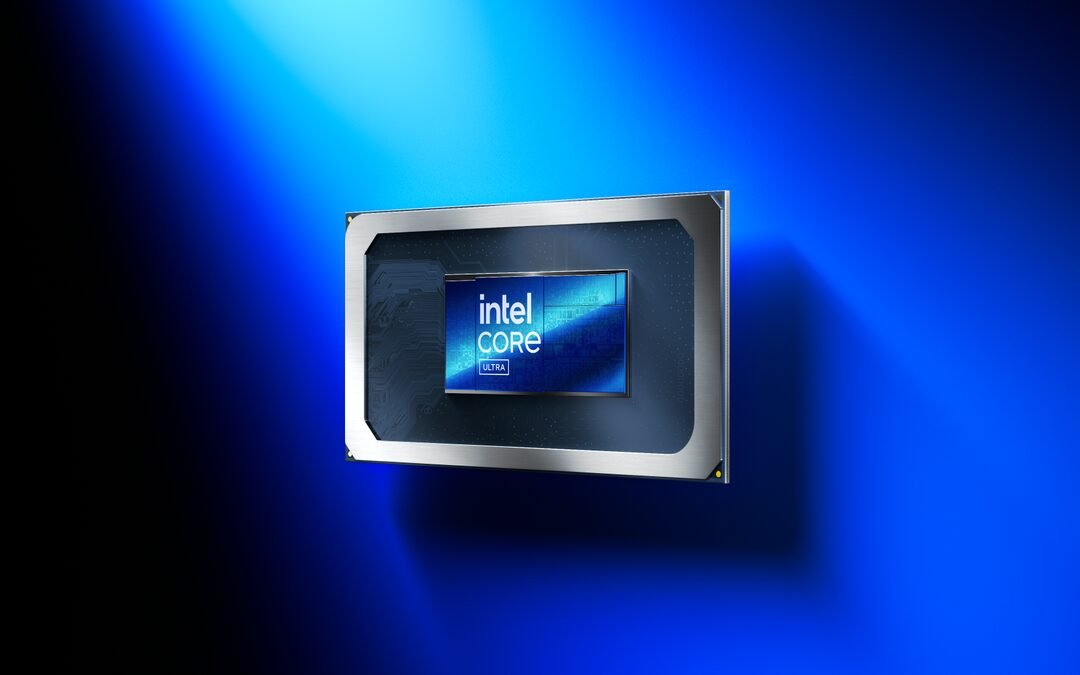
When it comes to raw processing power, the battle between the Intel Core Ultra 9 275HX and AMD’s Ryzen 9 is heating up. If you’re all about getting the best performance, then you’ll love what Intel’s latest powerhouse brings to the table. The numbers don’t lie—Intel’s chip takes the lead, proving that their latest architecture is pushing boundaries in mobile computing.
Intel Core Ultra 9 275HX: A Mobile Powerhouse
Performance junkies, this one’s for you. The Intel Core Ultra 9 275HX isn’t just another high-end processor—it’s a statement. Built on Intel’s cutting-edge tech, this chip is designed to handle everything from gaming marathons to productivity-heavy workloads without breaking a sweat. Compared to AMD’s flagship Ryzen 9 mobile chip, it delivers a noticeable boost in performance, making it the GOAT of mobile processors right now.
Now, if you’ve been keeping an eye on Intel’s mobile chips, you might be wondering: What makes the Ultra 9 275HX different? It’s all about power efficiency, core optimization, and some serious clock speed adjustments. Intel has worked its magic, and the result is a chip that’s both faster and more efficient than its predecessors. And when put head-to-head with Ryzen 9? The difference is clear.
Benchmarks Don’t Lie: Intel Core Ultra 9 275HX Takes the Lead
Let’s talk numbers. Because, at the end of the day, performance comes down to cold, hard stats. In benchmark testing, the Intel Core Ultra 9 275HX outperformed AMD’s Ryzen 9 by a solid 7%. That’s not just a small edge—it’s a clear win. Whether you’re gaming, editing videos, or running resource-heavy applications, that extra power translates to smoother performance and faster processing times.
In fact, it doesn’t just leave AMD behind—it even outpaces Intel’s own previous-gen flagship, the i9-14900HX, by a massive 34%. That’s a huge leap! Intel clearly isn’t just competing with AMD; they’re pushing past their own limits, making sure every new-gen chip delivers something better. If you’ve used an i9-14900HX and thought it was fast, the Ultra 9 275HX will blow you away.
Gaming Performance: Where Intel Core Ultra 9 275HX Shines
Gamers, this is the part you’ve been waiting for. If frame rates and low latencies get your heart racing, you’ll be thrilled with the Ultra 9 275HX. The improved clock speeds and core efficiency mean better frame consistency, fewer dips, and stronger overall performance in modern, CPU-intensive games.
I can already picture it—you fire up your favorite game, crank the graphics settings to “Ultra,” and the system doesn’t even flinch. No lag, no FPS drops—just smooth, buttery gameplay. While Ryzen 9 has always been solid in gaming laptops, Intel’s latest chip is proving that it can pull ahead with better peak performance and sustained power.
Is Ryzen 9 Falling Behind?
A fair question. AMD has long been the underdog-turned-champion in the CPU battle, but Intel has been making serious plays to reclaim dominance. While Ryzen 9 still packs a punch, especially in multi-threaded workloads, it doesn’t quite match Intel’s latest refinements in mobile performance.
That being said, Ryzen chips tend to be power-efficient—something that might matter a lot if battery life is a concern. But if raw processing speed is your priority, the Ultra 9 275HX has the upper hand. It’s a trade-off, really. Do you want more efficiency, or do you want that extra 7% in performance?
Multitasking and Content Creation: Ultra 9 275HX Is a Beast
Let’s step out of gaming for a second. If you’re a content creator—whether you work with video editing, 3D rendering, or heavy Photoshop files—you know that every second counts. And this is where Intel’s chip seriously flexes. That improved processing power means faster rendering times, quicker exports, and a smoother workflow across the board.
Think about this: You’re editing a 4K video, color-correcting, adding effects, and scrubbing through layers of high-resolution footage. On a lesser chip, you’d be dealing with slowdowns and frustrating delays. With the Ultra 9 275HX, everything moves like a well-oiled machine. Getting that extra power boost can make the difference between a smooth workflow and endless waiting.
Final Verdict: Intel Core Ultra 9 275HX for the Win
If you’ve been debating between Intel and AMD for your next high-performance laptop, the choice is getting clearer. The Intel Core Ultra 9 275HX outperforms the Ryzen 9 in key areas like gaming, multitasking, and raw processing power. While AMD still has serious strengths—especially in power efficiency—Intel is taking the performance crown with this one.
So, should you go with Intel’s latest Ultra 9 chip? If you want a laptop that absolutely crushes tasks without breaking a sweat, the answer is yes. Whether gaming, content creation, or just future-proofing your setup, this processor is built to deliver next-level performance.
Have you had a chance to test out Intel’s latest powerhouse? If so, I’d love to hear your thoughts! Drop a comment and let’s geek out over these killer benchmarks.

by TechNova | Feb 10, 2025 | Tech Insights
If you’ve ever wished for a laptop that truly embraces the idea of productivity and multitasking, this Asus ZenBook Duo OLED review and features breakdown is exactly what you need. Asus has been pushing the boundaries of dual-screen laptops for years, and the latest ZenBook Duo takes things even further. With a stunning OLED display and a revamped design, this laptop makes you rethink what’s possible in a mobile workstation.
First Impressions: A Bold and Stunning Redesign
The first thing you’ll notice about the Asus ZenBook Duo is the sheer futuristic appeal. This is not your standard clamshell laptop. The dual-screen setup immediately draws attention, especially when you flip open the lid and reveal that breathtaking OLED display. The slim bezels, the elegant metal chassis, and the innovative engineering make it feel like a machine built for professionals who want style and substance.
But this laptop isn’t just about looks. Asus manages to balance aesthetics with practicality, ensuring that every aspect serves a functional purpose. From the ultra-smooth hinge to the improved thermal management, it’s clear that Asus designed this with actual users in mind.
Dual Screens, Double the Productivity
Now, let’s talk about that dual-screen experience. Asus has been refining this concept for a while, and it shows. The primary OLED display is a gorgeous 14-inch panel with deep blacks, punchy colors, and incredible clarity. But the magic happens when you combine it with the secondary display that seamlessly integrates below it.
If you’re someone who juggles multiple tasks—be it video editing, coding, or managing spreadsheets—you’ll love what this screen can do. Dragging windows between displays is effortless, and the extra screen space means fewer interruptions in your workflow. Imagine editing a video while keeping your toolbars neatly organized on the second screen or writing up a report while having research material open right below—it’s a game-changer.
OLED Brilliance: Why It Matters
If you’ve never used an OLED laptop before, prepare to be spoiled. The colors are rich, the contrast is insane, and everything just pops off the screen. Whether you’re watching videos or designing in Photoshop, the visual quality is stunning. Add in the high refresh rate, and it makes scrolling and animations feel buttery smooth.
Performance: More Than Just a Pretty Face
A great design means nothing if the performance can’t keep up. Thankfully, the Asus ZenBook Duo delivers where it counts. Powered by the latest Intel Arrow Lake processors, it doesn’t struggle under pressure. Whether you’re crunching numbers, editing 4K footage, or just running a dozen Chrome tabs (we’ve all been there), it handles everything like a champ.
- CPU Power: Intel’s Arrow Lake series ensures a balance between power efficiency and top-tier performance.
- Graphics: Depending on the configuration, you can get integrated graphics or a dedicated GPU for creative work.
- Memory & Storage: With up to 32GB RAM and fast SSD options, load times are practically nonexistent.
As someone who constantly switches between applications, I was surprised at how smoothly everything ran. Even throwing in some light gaming, the laptop barely broke a sweat. The upgraded cooling system does a great job of keeping things quiet too—no sudden jet-engine noises when you’re in the middle of a deep work session.
Battery Life: How Long Can It Keep Up?
One common concern with high-performance, dual-screen laptops is battery life. More screens usually mean more power drain, right? Surprisingly, Asus has fine-tuned the power management, and you’re looking at around 8-10 hours with normal use. That’s enough to get through a full workday if you manage brightness and background apps properly.
Typing, Trackpad, and Ergonomics: A Unique Approach
Because of the dual-screen setup, there isn’t a lot of room for a typical keyboard and trackpad configuration. The keyboard is pushed down to the lower half of the chassis, while the trackpad sits to the right. It definitely takes some getting used to, but if you’re someone who uses a mouse most of the time, it won’t be a huge deal.
Typing feels good, though. The keys have tactile feedback, and they’re well-spaced. If you’ve used Asus laptops before, the experience here is familiar—responsive and comfortable. The built-in stylus support adds another layer of functionality, especially for designers.
Is the Asus ZenBook Duo OLED Right for You?
This laptop clearly isn’t made for casual users. If all you need is a basic everyday computer for emails and Netflix, it’s overkill. But if you love innovation, multitasking, and cutting-edge tech, it’s a dream machine. Whether you’re a content creator, developer, or power user, the Asus ZenBook Duo is built to make your workflow smoother and more enjoyable.
Would I recommend it? Without hesitation—but with one small caveat. You need to embrace the dual-screen experience and be ready to tweak your workflow a bit to get the most out of it. If you’re up for that, this is hands-down one of the most exciting laptops on the market right now.
Final Thoughts: A Step into the Future
Asus continues to push the envelope with the ZenBook Duo lineup, proving that laptops don’t have to follow the same old design formula. The OLED display, the seamless integration of the second screen, and the beastly performance make this laptop a compelling choice for power users.
So, what’s the verdict? If you need a laptop that works as hard as you do—and looks amazing while doing it—the Asus ZenBook Duo OLED is easily one of the best options out there.

by TechNova | Feb 9, 2025 | Tech Insights
The OnePlus 13R OxygenOS 15 update is here, and it’s bringing a solid camera boost that fans will love. If you’ve been waiting for improvements in photo quality and performance, this update delivers. OnePlus has been fine-tuning its software experience, and this latest OxygenOS version adds not just better camera performance but also system stability and a couple of handy refinements.
What’s New in the OnePlus 13R OxygenOS Update?
Every phone gets better with the right software updates, and the OnePlus 13R is no exception. This OxygenOS 15 update refines what’s already a strong performer, sharpening its camera capabilities and ensuring a smoother user experience. Let’s break down the key highlights.
- Improved Camera Performance: Expect better clarity, more accurate colors, and an overall smoother experience when taking photos.
- System Stability Enhancements: A polished user experience, fewer bugs, and better app performance.
- Refined Connectivity: Network and Bluetooth fixes ensure stronger connections.
Doesn’t seem like much at first glance, right? But trust me, that camera upgrade alone makes a noticeable difference.
OnePlus 13R Camera Boost: What’s the Big Deal?
If you’ve been using the OnePlus 13R for a while, you probably noticed that while the camera is solid, it hasn’t been perfect. This update aims to change that. OnePlus has optimized image processing, helping your photos look more natural with less noise and better detail.
One of the biggest complaints users had about the OnePlus 13R camera was how inconsistent it could be in certain lighting conditions. Sometimes, colors appeared too dull or overly processed. Now, with this update, photos appear more accurate, and the dynamic range handles tough lighting better.
Better Low-Light Performance
We’ve all been there—trying to capture a great moment at night, only to get a blurry, grainy mess. Well, things are looking up! This OxygenOS update improves low-light photography, reducing noise and enhancing detail. Your nighttime shots should look noticeably sharper with more balanced exposure.
Faster and More Accurate Autofocus
Nobody likes waiting for their phone to focus while trying to capture a fast-moving subject. Whether you’re taking pictures of kids, pets, or just snapping something on the go, autofocus matters. This update seems to bring quicker and more reliable focus tracking, meaning fewer missed shots.
Smoother OnePlus 13R OxygenOS Experience
Beyond the camera improvements, this update also polishes the overall OnePlus 13R experience. If you’ve ever dealt with little hiccups, background apps randomly closing, or general sluggishness, this update helps. It improves system stability, making everything feel snappier.
One noticeable tweak is the improved animations. They feel smoother and more responsive, helping the phone match that “fast and smooth” feel that OnePlus is known for. Apps open faster, and overall navigation feels more refined.
Connectivity Fixes: Stronger Wi-Fi and Bluetooth
Have you ever been right next to your router but still struggle with slow speeds? Or maybe your Bluetooth keeps acting up randomly? Yeah, frustrating. The latest OxygenOS update tackles some nagging network and Bluetooth issues, resulting in stronger, more stable connections.
Users have reported fewer dropped Wi-Fi connections and better Bluetooth pairing experiences. So if you use wireless earbuds or frequently connect to smart devices, this update should make life easier.
Should You Update Your OnePlus 13R Now?
Short answer? Yes. If you’re always on the lookout for a smoother experience and better camera performance, this update is worth it. OnePlus has been consistent in rolling out meaningful improvements, and this one’s no different.
However, if you’re someone who prefers waiting a bit before updating—just in case any new bugs pop up—it wouldn’t hurt to give it a few days. Early adopters will be the first to report issues (if there are any), so you can decide based on their feedback.
Final Thoughts on the OnePlus 13R OxygenOS Update
Overall, this update may not be the biggest, but it makes a noticeable difference where it matters—camera performance and overall smoothness. If you’re a fan of the OnePlus 13R, you’ll appreciate the refinements.
At the end of the day, smartphones are all about delivering a seamless experience. OxygenOS 15 fine-tunes the OnePlus 13R to do just that. So go ahead, install the update, and test it out for yourself. Who knows? That next photo you snap might just surprise you!

by TechNova | Feb 8, 2025 | Tech Insights
Self-heating fabric warms up to 54°F just by soaking in some sunlight. Sounds like something out of a sci-fi movie, right? But it’s real, and scientists are making serious progress in turning this into a game-changing material for your wardrobe. No more layering up like an overstuffed marshmallow just to stay warm outdoors. Let’s dive into how this works, why it’s cool (or should I say warm?), and what this means for the future of clothing.
How Does Self-Heating Fabric Work?
Okay, let’s break it down. This new fabric contains a special coating that absorbs sunlight and converts it into heat. What’s wild is that it doesn’t need any batteries, wires, or external heating sources—it just naturally warms up when exposed to light. Think of it like a solar panel for your clothes, minus the clunky hardware.
Researchers have been testing different materials to make it lightweight, flexible, and durable. That means you could wear this self-warming fabric on a chilly morning walk, and by the time the sun comes out, you’re toasty without needing extra layers. Magic? No. Science? Absolutely.
Where Could We See Self-Heating Fabric in Everyday Life?
Imagine slipping on a sweater that adjusts to the sunlight, keeping you warm without overheating. Or hiking in the mountains without having to carry heavy thermal gear. The possibilities with this kind of fabric are endless.
Winter Wear That Actually Works
Anyone who’s ever stepped outside in freezing weather knows the struggle—heavy coats, multiple layers, and still feeling cold. If self-heating fabrics become widely available, winter gear could get thinner, lighter, and more efficient. That means less bulky coats and cozier warmth when you actually need it.
Outdoor and Sportswear
If you’re into hiking, skiing, or even just long walks in cool weather, this could be a game changer. Imagine wearing a thin jacket that heats up as soon as the sun hits it. No more shivering at the start of a hike or adding extra layers that you later have to peel off.
Emergency or Survival Gear
Self-warming fabrics could be life-saving for people who work outdoors or find themselves in survival situations. Think rescue workers, campers lost in the wilderness, or even astronauts needing adaptive clothing. Warmth on demand without needing power? That’s something the world needs.
Is This the End of Traditional Winter Clothing?
Not quite. While this technology is promising, don’t start throwing out your favorite wool sweater just yet. Right now, scientists are perfecting the material, making it stronger, longer-lasting, and more practical for everyday wear. There’s also the question of affordability—will this be something only elite athletes and researchers can afford, or will we all have access to it?
Still, the possibility is super exciting. In a few years, you might be swapping out your old winter coat for a slim, stylish version that keeps you warm just by stepping into the sun.
Will Self-Heating Fabric Work on Cloudy Days?
Great question. Since the fabric relies on absorbing sunlight, it naturally works best in direct sun. But researchers are exploring ways to make it retain heat longer, so you’re not left out in the cold when the clouds roll in. Some self-warming fabrics can trap heat more efficiently, holding onto warmth even after the sun disappears.
Of course, it won’t replace insulated gear for extreme cold just yet. But if it means needing fewer layers and staying warmer with less effort, that’s already a huge step in the right direction.
What’s Next for Self-Heating Fashion?
It’s safe to say that clothing with built-in warmth is on its way. The real question is how soon we’ll start seeing it in stores. More research is needed to make it widely available, cost-effective, and durable enough for daily wear. Right now, scientists are working to ensure the material can handle repeated washing, exposure to different weather conditions, and everyday use.
Companies in sportswear and outdoor gear are likely to jump on this tech first. But who knows? Maybe in a few years, you’ll find self-heating jeans, casual shirts, or even blankets that keep you warm with just a little sunlight.
Would You Try Self-Heating Clothes?
This could be the beginning of a huge shift in how we think about warmth and clothing. Imagine traveling light in winter, packing fewer bulky sweaters, and still staying warm without constantly reaching for extra layers.
So, what do you think? Would you wear a sun-powered sweater? Or does the idea of a self-heating fabric sound a little too futuristic? Either way, one thing’s for sure—our wardrobes might be getting a serious upgrade.
