
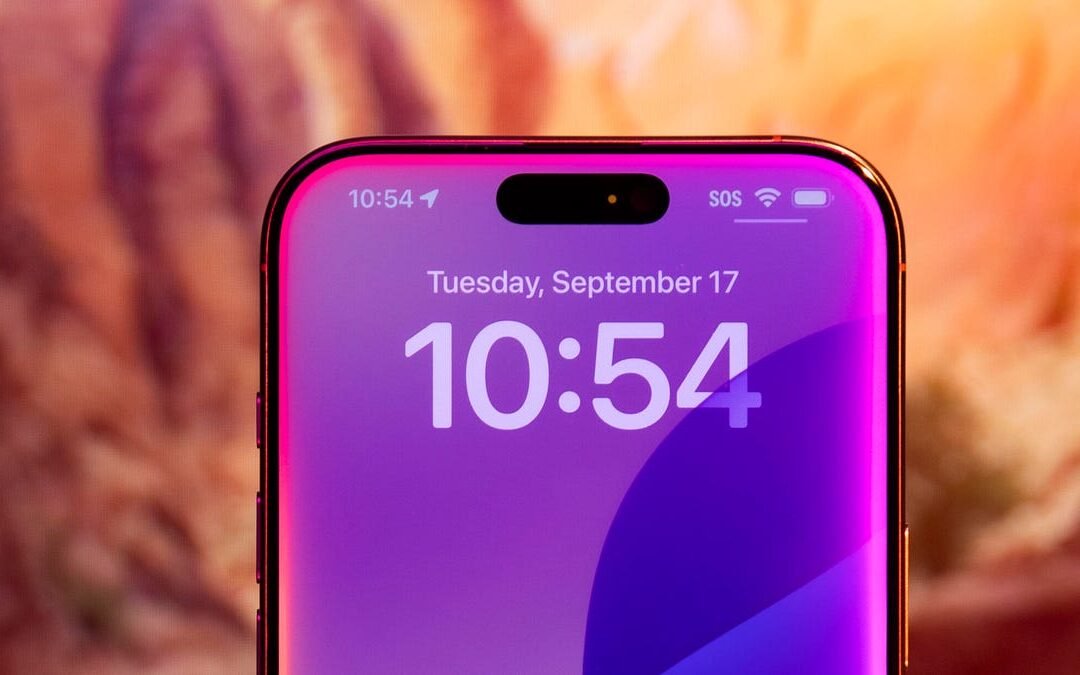
So, you’ve updated to iOS 18, expecting some exciting new Siri features—but instead, you’re left scratching your head, wondering, “iOS 18 Siri Update Missing? Why Your iPhone Lacks Features.” Trust me, you’re not alone. It’s frustrating when you’re eager to try out a cool upgrade, only to find that things aren’t working as advertised. Let’s dig in and figure out what’s going on, so you’re not left feeling like your iPhone got the short end of the stick.
Why Does It Feel Like Siri Is Stuck in the Past?
If your iOS 18 feels more like iOS 16.5 in terms of Siri’s abilities, there are a few potential reasons why those promised enhancements seem to be missing in action. The good news? Most issues are likely tied to compatibility or settings rather than a total system failure. So, take a deep breath—we’ve got some answers here.
First off, let’s talk hardware. Not every iPhone can handle the demands of the latest Siri features. I know, it’s not what you want to hear, but Apple’s upgrades are sometimes built with their newest devices in mind. For example, some iOS machine-learning capabilities need newer processors to truly shine. If you’re rocking an iPhone X or even an XR, you might find yourself missing out on the flashiest updates simply because your device can’t support them.
And then there’s the sneaky culprit: settings. If Siri didn’t update the way you thought it would, a lot could hinge on how your iPhone is set up. Has it been ages since you refreshed your Siri preferences? Are you running out-of-date region settings that limit which features are available in your country? Sometimes, all it takes is a quick dive into your phone’s settings menu to unlock what’s been hiding in plain sight.
iOS 18 Siri Update Missing? Why Certain Features Are Locked to Specific Models
Here’s the cold, hard truth: Apple doesn’t roll out every single update to every single device. It stinks—it really does—but it makes sense in their quest to prioritize functionality over chaos. If you’re sporting an iPhone 11 or older, you might notice Siri’s upgrades arriving in a watered-down version. Those sweet, futuristic tools like on-device processing or advanced conversational capabilities? Yep, often reserved for the newer models.
I remember when my trusty iPhone 8 couldn’t keep up with iOS 15’s live text feature. It was a bummer at the time, but it taught me an Apple lesson: new software gets better the closer your phone is to the newest tech Apple’s rolled out. So, part of your Siri frustration could come down to something as simple as hardware aging gracefully… or not so gracefully.
Can You Fix Your Siri Woes Without Getting a New iPhone?
Look, no one wants to drop serious cash on a brand-new iPhone just because their Siri feels a little outdated, right? Fortunately, there are some steps you can take to troubleshoot before committing to anything drastic. Here’s where I’d recommend starting if you suspect something’s off:
- Double-check your software update: Did the iOS 18 update fully install? Sometimes updates get interrupted or corrupted along the way, leaving you with only part of what’s supposed to be there. Go to Settings > General > Software Update and ensure you’re up to date.
- Review Siri settings: Go into Settings > Siri and Search and take a closer look. Are all the latest settings enabled? Features like “Listen for ‘Hey Siri’” or language-specific enhancements might need to be turned on manually.
- Reset Siri entirely: If you suspect your virtual assistant is being stubborn, disable Siri, restart your phone, and then re-enable it. Sometimes, it’s the little things that make a big difference.
- Region matters: Don’t overlook this one! iOS features often roll out by region, and Siri is no exception. Make sure your phone is set to a supported region for iOS 18’s most advanced features.
If you’ve tried everything and Siri still feels behind the times, it might be time to level-set expectations with your current iPhone model or—dare I say—start thinking about an upgrade in the future.
iOS 18 Siri Update Missing? Why Patience Might Be the Answer
Now, if you’re positive your iPhone is compatible with all the iOS 18 features but they’re still not showing up, don’t toss your phone in frustration just yet. Apple is notorious for staggered feature rollouts. Updates promised in the iOS 18 announcement might not go live for all users immediately. Sometimes, you’ve just got to wait for the next incremental update—iOS 18.1, 18.2, or beyond—for certain Siri abilities to fully arrive.
I’ve been there, refreshing my Settings page like a superfan trying to snag concert tickets. It’s frustrating, but patience often pays off when it comes to Apple updates. If you’re willing to wait, those missing features might show up in the next few weeks or months.
Should You Upgrade Your iPhone for Siri?
Let’s be real—this is ultimately the question many iPhone users face when software updates seem disappointing. Is it worth upgrading to a newer model just for better Siri? Well, that depends.
If you rely heavily on Siri for hands-free tasks—like controlling smart home gadgets, crafting detailed reminders, or dictating texts—the updates in iOS 18 (when fully functional) might make a big difference in your daily workflow. On the other hand, if Siri’s just your go-to for occasional timers or quick weather checks, you might not feel the need to rush into upgrading just yet. Weigh how much you truly use Siri against the cost of getting a newer model.
From my personal experience, I find that squeezing one more year out of my iPhone before upgrading can sometimes feel just as satisfying as finally unboxing a shiny new device.
Final Thoughts
So, where does this leave you if you’re wondering, “iOS 18 Siri Update Missing? Why your iPhone lacks features”? The answer isn’t always straightforward, but it often comes down to hardware compatibility, settings tweaks, or Apple’s staggered rollout strategy. Don’t let a temporary tech hiccup get you down, though. Whether you’re rebooting Siri, refreshing your settings, or simply riding out the update wave, there’s hope for getting the most out of your iPhone—no matter what Siri challenges you’re facing.
At the end of the day, technology is always about balance. If your iPhone’s working well for you overall, don’t let a few absent Siri tricks ruin the experience. And if it’s time to upgrade, you’ll know—your iPhone will tell you, loud and clear, when it’s ready for retirement. Until then, give Siri a nudge, do some troubleshooting, and keep navigating that iOS 18 world one step at a time. You’ve got this.