
by TechNova | Feb 4, 2025 | Tech Insights
If you’ve been pulling your hair out trying to upgrade to Windows 11 on an older PC, you’re not alone. It’s a frustrating situation, especially when you’re dealing with Microsoft’s system requirements that make some perfectly functional computers feel ancient overnight. But here’s the good news: there’s a Microsoft Windows 11 Workaround for Older PCs that might save you from spending a small fortune on a brand-new machine. And trust me, it’s easier than you think!
Understanding the Issue with Older PCs
I get it—many of us have grown attached to our trusty PCs that have stood by us through thick and thin. But when Microsoft announced Windows 11, their strict requirements, like TPM 2.0 and Secure Boot, left many devices out in the cold. Suddenly, capable computers were deemed unworthy of the upgrade, leaving users scrambling for solutions.
Honestly, it feels unfair. Many of these machines still perform beautifully, handling everything from spreadsheets to light gaming without breaking a sweat. Tossing them aside just to meet an arbitrary upgrade standard? It doesn’t sit right with me. Thankfully, there’s a solution in the form of the Microsoft Windows 11 Workaround for Older PCs. It’s not exactly a secret—Microsoft quietly acknowledges it—but it’s also not something they put front and center on their website. Let’s break it down step by step.
What Is the Microsoft Windows 11 Workaround for Older PCs?
At its core, this workaround bypasses some of the strict hardware requirements—things like TPM 2.0 or Secure Boot—that older PCs might not have. Microsoft allows for a manual override, letting you force the installation despite the “unsupported” warnings. It’s not illegal. In fact, Microsoft provides official instructions on how to make it happen. But predictably, they’ve buried those instructions in their documentation to avoid promoting it openly.
Before you dive in, let’s address the elephant in the room: why would Microsoft create an operating system with requirements that lock out so many users? Cynically, one might say it’s to push sales of newer devices. But on the flip side, they claim it’s about security and performance enhancements. Regardless of the reasoning, this workaround ensures you’re not sidelined by arbitrary checks.
Is This Workaround Safe for Your PC?
This is probably the first question swirling around your head. And honestly, I get why—it sounds a bit sketchy, right? But here’s the thing: this method is officially acknowledged by Microsoft. They recognize that users with older PCs might still want (and deserve) to experience the features of Windows 11, even if their hardware doesn’t make the cut.
That said, there’s a disclaimer here. Since you’re installing on unsupported hardware, Microsoft won’t guarantee future updates or performance. But let’s keep it real—they’re not going to abandon millions of users overnight. So, if you’re willing to take this minor risk, the reward is worth it. You’ll get a sleek, next-gen operating system on your beloved older PC without ditching it for a pricey new machine.
How to Apply the Microsoft Windows 11 Workaround for Older PCs
Alright, enough beating around the bush. Let’s dig into the steps! Here’s what you need to do:
- Back up your files: Before you start, make sure all your important data is safe. Seriously, don’t skip this step.
- Create Windows 11 Installation Media: Use Microsoft’s Media Creation Tool to create a bootable USB or DVD. You’ll need this for the installation process.
- Start the Installation: Insert your bootable media and begin the installation process. Be prepared to see a compatibility warning pop up.
- Modify the Registry: This is the guts of the workaround. Open your Registry Editor and add a new key under the path:
HKEY_LOCAL_MACHINE\SYSTEM\Setup\MoSetup. Create a DWORD key called AllowUpgradesWithUnsupportedTPMOrCPU and set its value to 1.
- Proceed with Installation: Once this is done, you’ll bypass the TPM and CPU requirement checks. Continue installing Windows 11 as you normally would!
See? Not too scary, right? Just keep in mind that editing the registry isn’t something to take lightly. Double-check your steps, and don’t make random changes unless you know what you’re doing.
What’s It Like Running Windows 11 on an Older PC?
Okay, so you’ve installed it—now what? From my experience, Windows 11 actually runs surprisingly well on older hardware, depending on your specific setup. Sure, you might not get blazing-fast boot times or the best multitasking performance, but for everyday tasks? It’s solid.
One thing I noticed during my own attempt was how much smoother everything felt compared to Windows 10. The new UI, with its rounded corners and centered taskbar, feels modern yet intuitive. And those new productivity features—like Snap Layouts—are a game-changer, even on aging machines.
That said, keep expectations realistic. If your PC is already struggling on Windows 10, this isn’t going to magically turn it into a powerhouse. But hey, if it ain’t broke, why fix it?
Final Thoughts: Is It Worth the Effort?
Look, I’ll be honest: deciding whether to apply the Microsoft Windows 11 Workaround for Older PCs comes down to personal preference. If you love tinkering with tech and squeezing extra life out of your gadgets, it’s absolutely worth it. Why spend money on a new PC when your current one can still keep up?
But if the thought of registry tweaks and manual installations stresses you out, sticking with Windows 10 isn’t the end of the world. Microsoft will continue supporting it for a while, and it’s a stable, capable OS in its own right.
At the end of the day, this workaround offers a choice. That’s what I love about it. You’re not locked out of the Windows 11 experience just because you don’t tick all the boxes on Microsoft’s checklist. So, what do you think? Is it time to give your “old” PC a fresh new look, or are you happy sticking with the familiar? Whatever you decide, remember: your tech should work for you, not the other way around.
by TechNova | Feb 4, 2025 | Tech Insights
Let’s be honest—digital calendars are a part of our daily lives now. Whether we’re keeping track of birthdays, business meetings, or even that yoga class we keep saying we’ll attend, they’ve become an essential tool. But lately, “Apple Calendar Confetti Features Boost User Experience” has been the phrase on everyone’s lips (or at least it should be). Apple’s latest addition to their calendar app is celebrating your moments in a way that actually makes staying organized kind of… fun. Sounds weird, right? But trust me, we’re about to dive into why this tiny yet thoughtful update is making waves—and why you might just end up loving it.
How Apple Calendar Confetti Features Boost User Experience
So, let’s cut straight to it: this feature is pure joy. Picture this—you’ve just hit a major milestone. Maybe you’ve finished a big work project, or perhaps today marks the anniversary of that time you went skydiving and vowed to be more adventurous (even though you’re still terrified of heights). Typical calendar apps just display events as text, but Apple took a different approach. They decided to celebrate with you, sprinkling colorful confetti right across your screen.
It’s like the app is giving you a virtual high-five. Who doesn’t love that? It’s a small interaction, but small things make a big difference. And hey, isn’t it nice to get these kinds of moments sprinkled into a busy day?
1. Feel-Good Moments Go a Long Way
Okay, I’ll admit it—when I first saw the confetti, I laughed. Was it cheesy? Sure. Did it also make me smile for a solid five seconds longer than I expected? Absolutely. Apple Calendar Confetti Features Boost User Experience because they trigger something simple but powerful: happiness.
Think about it. We’re so used to apps being rigid and functional. “Add event here. Save event there. Repeat.” Apple’s confetti isn’t just a visual flourish, it’s a nudge towards celebrating the little moments in life. Whether it’s your kid’s soccer game, your best friend’s birthday, or that hard-earned day off, the calendar is right there cheering you on.
And scientifically? There’s evidence to suggest these small “micro-celebrations” can reinforce positivity and boost motivation. Who knew scheduling could be uplifting?
2. Personalized Interactions Create a Stronger Connection
Here’s the thing about confetti: it’s playful! It’s not groundbreaking tech, but it feels personal. It’s designed to make it seem like the app isn’t just sitting there, static and cold—it’s actually engaging with you. And doesn’t that make the experience feel a bit more human?
Let me share something. Last month, I listed my cousin’s graduation on the calendar. It was already a special day, of course, but when I went back to check my schedule and saw the confetti pop up, it gave that mundane task of scheduling a little extra magic. I ended up showing her the confetti when we met up, and we both laughed about how unexpectedly cute it was. Who cares if it’s tech-driven? It created a real moment.
That’s the beauty of this kind of feature. It transforms a list of tasks into something that feels alive—maybe even meaningful in a small, unexpected way.
Why Confetti Features Give Apple the Edge
It’s no secret that calendar apps compete fiercely for users these days. After all, every productivity tool claims to streamline your life better than the rest. But here’s why Apple’s confetti feature stands out: it’s got personality, and that’s something many competitor apps are missing.
Let’s face it—everything feels a little too cookie-cutter these days. One app copies another, and the only real difference is color schemes or subscription rates. But Apple’s decision to include its celebratory confetti sets a mood. It makes its calendar feel more like a friendly assistant rather than just a tool.
Here’s an easy breakdown of the advantage:
- Visual Appeal: There’s a clear aesthetic upgrade. Clean design combined with fun animations? Sign me up.
- Emotional Boost: Features like this make digital interactions feel warm and welcoming. It’s less “here’s your task” and more “yay, go you!”
- Uniqueness: Apple isn’t just replicating standard calendar functions. They’re setting their app apart with creativity.
Of course, this isn’t to say that confetti will replace the value of core features like syncing or reminders, but as far as I’m concerned, it *does* make Apple Calendars way more memorable.
What Does This Mean for Us as Users?
On the surface, this might seem like a tiny detail. I mean, it’s not solving world peace, right? But here’s where I’d push back. In a world that increasingly leans on technology—where our entire schedules, relationships, and memories get funneled into apps—these thoughtful touches matter.
It’s almost like Apple is saying, “Hey, we know life is hectic, and you might not have time to pause and celebrate everything. Let us handle that for you!” And that, honestly, feels refreshing.
Is It Time to Embrace the Fun of Staying Organized?
If you’d asked me a year ago, I’d never have described a calendar app as “fun,” but guess what? Here we are. Apple Calendar Confetti Features Boost User Experience by simply reminding us that it’s okay to celebrate, even as we navigate the grind of managing schedules.
So, if you’re on the fence about giving this feature a try, here’s my advice: lean in. You might roll your eyes at first, but like me, you’ll probably end up smiling at your screen, maybe even laughing out loud.
Because really, isn’t it kind of wonderful when life throws a little confetti your way?
by TechNova | Feb 4, 2025 | Tech Insights
Big changes are brewing, my friends. In case you haven’t heard, “Microsoft Defender VPN Feature Discontinued” is the headline grabbing the tech world’s attention. If you’ve been relying on Microsoft Defender’s VPN (Virtual Private Network) feature to protect your online activity or secure your connection while working from your favorite coffee shop, this might feel like a bit of a shake-up. I know—it’s always unsettling when a favorite tool suddenly vanishes.
This news hit home for me because I love using simple, built-in features like this. They’re practical, user-friendly, and don’t require extra downloads or subscriptions. But now that Microsoft has waved goodbye to this feature, it’s time to pivot and adapt. So, let’s talk about what this means for you, why they’ve decided to shelve it, and where you can go from here to stay secure online.
Why Was the Microsoft Defender VPN Feature Discontinued?
If you’re scratching your head wondering why Microsoft made this move, you’re not alone. The announcement left a lot of us with questions. After all, VPNs are more relevant than ever. They safeguard your privacy, encrypt your data, and give you control over your digital footprint. So, why pull the plug? Turns out, the decision may have been driven by a combination of factors like low adoption rates, a crowded VPN market, and shifting priorities within Microsoft’s Defender suite.
Let’s face it—competition in the VPN space is fierce. There are plenty of big players, from standalone VPN services to other software suites that already integrate strong privacy tools. Maybe Microsoft decided their built-in solution wasn’t gaining the traction they had hoped. Or perhaps they realized their energies could be better spent fine-tuning other aspects of Microsoft Defender, which is still one of the top antivirus and security tools around.
Whatever the reason, it’s clear they made this choice to refocus their efforts. While this may feel like a bit of a letdown, it’s also an opportunity to explore new ways to protect ourselves online.
What Does This Mean If You Used the Feature?
If you were actively using Microsoft Defender’s VPN, I feel your frustration. It’s never fun when a tool you trust gets taken off the table. Maybe you used it for something as simple as logging into your work platform on public Wi-Fi without worrying about prying eyes. Or perhaps it gave you that comforting blanket of privacy when traveling or browsing from home.
The good news? Your computer isn’t suddenly unprotected. The core Microsoft Defender suite is still chugging along strong with antivirus, ransomware protection, and firewall capabilities. The discontinuation of this VPN feature doesn’t leave the rest of the program any less robust. However, you’ll need to consider a replacement if internet privacy and security on untrusted networks are a priority for you. (And trust me, they should be!)
If you’re new to the whole concept of VPNs, now’s the perfect time to dive deeper into the topic. A good VPN doesn’t just disguise your IP address—it also keeps your data safe from hackers, trackers, and advertisers. So, while losing an already-integrated option is inconvenient, finding one that fits your needs won’t be as hard as it sounds.
Alternatives Now That the Microsoft Defender VPN Feature Discontinued
Let’s look forward instead of back. Microsoft’s decision doesn’t leave you stranded. There are plenty of alternatives out there, and many offer advanced features that the Defender VPN didn’t have. Here are a few things to keep in mind when choosing your next VPN provider.
- Ease of Use: Like the Defender VPN, a good VPN should be simple and intuitive to set up and use. Skip anything that feels overly complicated—you’ve got better things to do with your time.
- Cost: Defender’s VPN was included as part of a package deal, so it didn’t feel like an extra expense. While many options in the market now charge subscription fees, some free VPNs are reliable if you don’t need heavy-duty features.
- Speed: One downside of using a VPN is that it can slow down your internet connection. Make sure your new provider prioritizes speed so you’re not stuck waiting forever for pages to load.
- Privacy Policies: This is a biggie. You’re using a VPN to stay private, right? So make sure the company behind it has a solid policy in place to avoid collecting or selling your data.
Spend some time researching and weighing your options. Your digital safety is worth the effort. Plus, there’s something empowering about taking ownership of your online security.
What Microsoft’s Move Tells Us About the Industry
The fact that the “Microsoft Defender VPN Feature Discontinued” makes headlines tells us that privacy concerns and user needs are evolving fast. Think back to just a decade ago: VPNs were mostly tools for tech gurus and digital nomads. Now, they’re basically a household name. With so many providers catering to these needs, companies like Microsoft are often rethinking whether dedicating resources to these features aligns with their larger goals.
As users, this story reminds us to stay informed and adaptable. Just because one tool disappears doesn’t mean we’re out of options. Companies will keep shifting, focusing, and experimenting—it’s on us to pivot accordingly.
How to Keep a Balanced Approach to Online Security
At the end of the day, cute phrases like “digital privacy” and “internet security” aren’t just buzzwords—they’re part of everyday life now. If you’re worried about the loss of this feature, take a deep breath and remember you’ve got options. Dig into what your specific needs are and find the tools that are right for you.
Also, don’t forget that online safety isn’t just about fancy software. Practice good habits too: use strong passwords, enable two-factor authentication where possible, and avoid clicking on suspicious links. Think of it as layering your defenses—just like wearing a coat, hat, and scarf to stay warm in winter. A VPN is only part of the equation.
So, have you used the Defender VPN before? How are you feeling about Microsoft dropping it? Share your thoughts and, of course, don’t stress too much. We’re all in this digital maze together!

by TechNova | Feb 3, 2025 | Tech Insights
Battlefield fans, the wait is over! Words like “hype,” “anticipation,” or even “sheer excitement” don’t do it justice. The **Battlefield First Look Revealed and Early Access Details** have officially dropped, and let me just say—you’re going to want to read this. Whether you’ve been a die-hard fanatic since the days of frantic skirmishes in Battlefield 3 or you’re a newer recruit gearing up for your first big campaign, there’s something here for all of us.
I dove headfirst into the reveal, and spoiler alert—I’m still buzzing. From gripping visuals to new gameplay systems, the team behind Battlefield has clearly doubled down on delivering an experience that feels bigger, bolder, and way more immersive than ever before. Oh, and let me not bury the lead: early access details? That’s where things get spicy.
What Stands Out in the Battlefield First Look Revealed and Early Access Details?
Honestly, where do I even begin? The Battlefield first look showcased a meticulous blend of familiarity and innovation. Yeah, it’s still the chaos we all know and love—you against the elements, vehicles whizzing past, explosions lighting up a gritty warzone—but you can tell they’ve built on that legacy. It’s as if they studied all the feedback from previous games and fine-tuned everything for maximum adrenaline.
One of the big takeaways? The visuals. I mean, okay, yes, gorgeous graphics are kind of what you expect these days, but there’s something about this one that felt… next level. Dust clouds spiraling after a tank shell lands, dynamic weather that practically drenches your screen, and cities designed to crumble under the weight of battle (in real time!) made me just stop and stare.
But it’s not just eye candy. The improved mechanics were unmistakable in the gameplay sneak peek. Movement felt fluid, weapons sounded sharp and visceral, and the interactive environments offered a tantalizing taste of dynamic conquest. Plus—vehicles look souped up! There’s talk of revamped physics and improved control, which could mean the end of accidentally crashing a helicopter into a tree (though, let’s be real, those moments are their own kind of fun).
What’s New in Combat?
Remember how Battlefield prides itself on those epic, large-scale showdowns? That’s still the heart of the experience, but with some fresh twists. First off, specialists are back with unique loadouts and gadgets that could seriously change how you approach a firefight. From what I’ve seen, teamwork is still key, but individual strategy matters more than ever. It’s a real “choose your playstyle, master it” vibe.
The other big standout? Weapon customization. There’s a new level of depth here that makes your arsenal feel truly *yours.* Imagine being able to swap attachments mid-match based on the situation. Need a quick switch from long-range precision to point-blank mayhem? Done. Honestly, I’m already envisioning the number of times I’ll escape defeat by switching scopes just in time.
Oh, and let’s not forget maps. They aren’t just expansive; they’re alive. During a sneak peek at a city map, destruction unfolded in jaw-dropping ways. One wrong shot in a high-rise? Boom, the whole thing starts coming down. It’s like you’re wielding chaos in real-time.
Early Access: How You Can Get a Head Start
Now, here’s the juicy part: early access. Battlefield is offering an exclusive window for players to strap in, suit up, and hit the ground running before anyone else. If you’re like me—a little impatient (okay, a lot)—this is a golden ticket to dive in and start exploring everything the Battlefield first look teased.
How do you score early access? Simply put: pre-launch betas are becoming Battlefield’s bread and butter. According to the early details, signing up could grant you access to hands-on previews of key features, maps, and modes. Think of it as your chance to familiarize yourself with gameplay mechanics while also shaping the game through your feedback. Pretty neat, right?
Here are some rumored perks of getting in early:
- Exclusive access to unreleased maps and features.
- An edge over casual players when launch day arrives.
- The opportunity to explore the game’s new mechanics without the pressure of competitive modes.
It’s like a pregame for the actual game. Plus, let’s be honest—there’s also something ridiculously satisfying about knowing you were *there* before the masses.
Why You Should Care About Early Access
I get it. Sometimes, people hear “early access” and think it’s just a glorified demo. Trust me—this feels like much more. In today’s online multiplayer world, getting in early doesn’t just mean playing the game a few days ahead of schedule. It’s a chance to truly explore everything at your own pace without being thrown into the fray with seasoned veterans who somehow already know every flank route and choke point.
Plus, you can avoid those dreaded Day One server crashes (you know the kind). Jumping in early means fewer headaches and more time spent actually enjoying the game. To me, that’s priceless.
Final Thoughts: Why Battlefield is the Game to Watch
Battlefield has always been about those unforgettable “wow” moments—the kind you text your friends about, replay in your head, and brag about on Discord. And based on the **Battlefield First Look Revealed and Early Access Details**, it’s clear that EA and the developers are working overtime to deliver even more of those jaw-dropping experiences. It’s about heart-pounding action, beautiful chaos, and that feeling of being truly *in the moment*.
I’ve got this gut feeling we’re on the brink of something special. If you’re even a little curious about diving back into Battlefield—or trying it for the first time—this feels like the right entry point. With what we know so far, it seems like a game that’s honoring its roots while still pushing boundaries.
So, mark your calendar, start thinking up your squad’s name, and maybe clear some space on your hard drive. The battlefield is calling. Are you ready to answer?
by TechNova | Feb 3, 2025 | Tech Insights
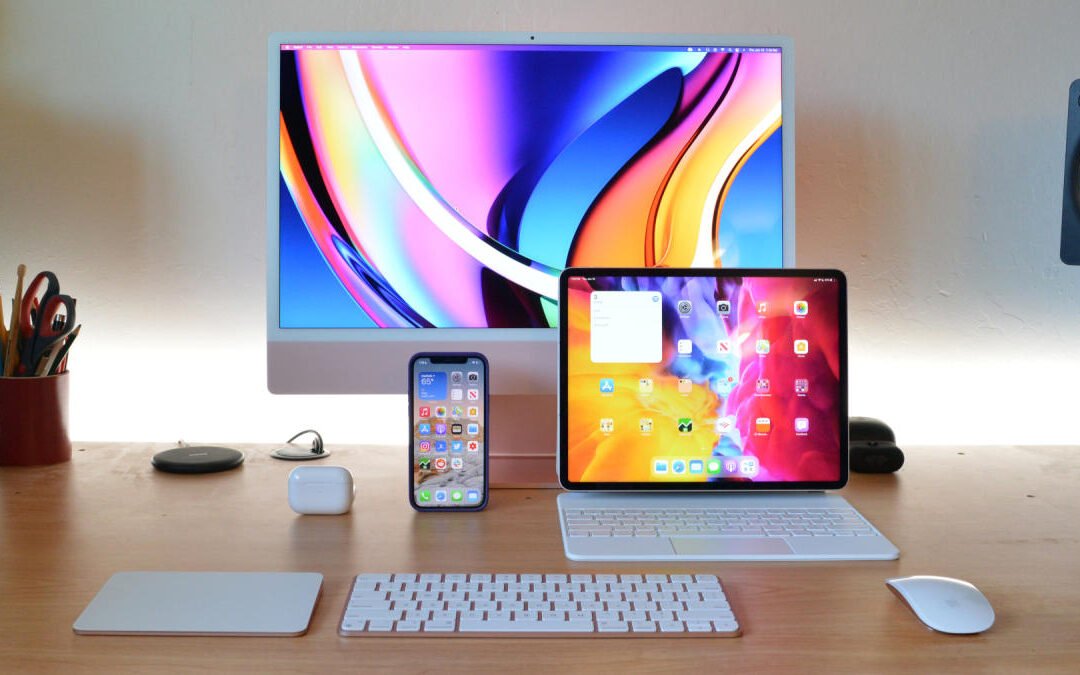
Let’s face it—hunting for the best tech deals can feel like spinning a wheel and hoping it lands on the jackpot. If you’re someone who’s been eyeing those premium gadgets but balking at the steep price tags, stick with me. Today, we’re diving into some incredible AirPods Pro 2 deals and Apple discounts you can’t miss. Seriously, if you’ve been waiting for the perfect opportunity to snag Apple’s game-changing products without blowing up your budget, this is it. Let’s talk about how to grab some of the hottest tech accessories at jaw-dropping prices.
Why Everyone’s Talking About AirPods Pro 2 Deals
If your social feed has suddenly lit up with glowing AirPods Pro 2 reviews, it’s not a coincidence. These bad boys are an upgrade in every possible way. With features like Active Noise Cancellation, customizable ear tips for a snug fit, and up to 30 hours of listening time with the charging case (yeah, you read that right), it’s no wonder they’ve become a fan favorite.
But here’s the kicker—not all AirPods Pro 2 deals are created equal. You might see a sale sticker and think you’re scoring big, only to realize later you could’ve saved even more. That’s why keeping an eye on these discounts is worth it. Whether you’re upgrading from your first-gen AirPods or jumping into the Apple ecosystem for the first time, now’s the perfect time to snag a pair at a price that won’t make your wallet cry.
Honestly, I couldn’t justify the full retail price at first. But when I found them during a sale, let me tell you, it was a complete game-changer. Everything from podcasts to playlists seriously felt next-level. So, trust me when I say diving into these deals is 100% worth your time.
Apple Discounts You Can’t Miss Right Now
In addition to finding excellent AirPods Pro 2 deals, Apple discounts across the board have been rolling out recently. If you’re anything like me, you’ve probably got your eye on more than just AirPods. The good news is that Apple seems to be in the giving mood this season, and that means big savings on some of their most popular devices.
- iPads: Whether you’re a student, an artist, or just someone who needs a reliable tablet, the iPad lineup has something for everyone. From the latest iPad 10 to the supercharged iPad Pro models, you’ll find discounts that let you spend less while getting more.
- Apple Watch: Let’s be real—a smartwatch these days feels like a must-have. With Series 8 and Ultra models offering everything from fitness tracking to seamless integration with your iPhone, these discounts are a perfect excuse to finally make the leap.
- MacBooks: If you’re looking to get work done (or just stream Netflix in style), MacBooks are getting some love in the sale department, too. Look for discounts on the M1 and M2 series, which pack a ton of power into sleek, lightweight frames.
It’s genuinely wild how much you can save if you know where to look!
How to Pick the Right Apple Deal for You
Here’s where the fun part comes in—choosing what to splurge on. If you’re anything like me, the temptation to go on an Apple shopping spree is real (and dangerous for the bank account). But let’s break it down to make sure you’re spending wisely.
- For Audiophiles: If sound quality matters most to you, jump on the AirPods Pro 2. The immersive audio and noise-canceling features make them worth every penny, especially at these discounted prices.
- For Fitness Enthusiasts: Grab an Apple Watch. It’s like having a personal trainer on your wrist—tracking workouts, helping you close those rings, and even monitoring your sleep.
- For Creatives: Snag an iPad Pro. With apps like Procreate and the Apple Pencil’s precision, it’s a dream setup for sketching, editing, or even brainstorming your next big project.
- For Daily Multitaskers: A MacBook is your best bet. Whether it’s for work, school, or personal projects, the seamless performance and intuitive interface make it an investment you won’t regret.
The key is to figure out what complements your lifestyle. Personally, I started with the AirPods because I kept borrowing my partner’s (which, by the way, they weren’t thrilled about). That small upgrade finally made my commutes and work-from-home setup so much smoother. Now, I swear I hear things in songs that I didn’t even know existed before—and I’m not going back!
Timing Is Everything with AirPods Pro 2 Deals
Here’s a little insider tip: timing matters with these deals. Apple products don’t go on sale at random—they usually appear during big shopping events like Black Friday or Cyber Monday or when newer models hit the market and retailers start clearing stock. That’s exactly what’s happening now.
If you see a deal that makes you pause your scrolling and say, “Okay, wow,” that’s your cue to act. Seriously, I’ve had moments where I hesitated, and then the deal was gone before I could whip out my credit card. Don’t let the same thing happen to you.
Final Thoughts: Invest in the Tech You Deserve
When it comes to finding the perfect AirPods Pro 2 deals and Apple discounts you can’t miss, it’s all about being prepared and knowing what you want. These upgrades aren’t just “nice to haves” anymore—they’ve become essential tools for work, play, and everything in between. So why not save while investing in tech that’s built to last?
Take it from someone who’s made a few regretful “missed deal” mistakes in the past. When the price is right, and the timing’s perfect, jump! Whether you’re upgrading old gadgets or treating yourself to something brand new, the current Apple discounts have something for everyone. Just think of it as an early gift to yourself—you’ve earned it!

by TechNova | Feb 3, 2025 | Tech Insights
Let’s get right into it. “Civilization 7 Review Gameplay Features and Insights” is a topic I couldn’t wait to dive into, because honestly, the Civilization series has been a cornerstone of my gaming life for years. I can’t tell you the number of late nights I’ve spent, bleary-eyed at 3 a.m., muttering, “Just… one… more… turn.” If you’ve been there too, you probably already know why this franchise is so beloved. But with every new installment, fans always wonder: Can they top the last one? Well, strap in—we’re diving into everything Civilization 7 brings to the table. Spoiler alert: It’s ambitious, feature-packed, and it’s got people buzzing for good reason.
What Makes Civ 7 So Different?
Alright, let’s start by breaking down what Civilization 7 does differently. Every Civ game brings something new—a bold mechanic, a reimagined system, or a fresh twist on gameplay. And let me tell you, this time, they’ve truly stepped up their game. A big focus in Civ 7 seems to be deepening player immersion while keeping the gameplay flexible enough to make every playthrough feel unique.
For starters, Civ 7 introduces revamped map mechanics. Cities now spread out even more dynamically, connecting to the lands around them in ways that feel so much more “alive.” Think unique resource interactions, neighboring influences, and environmental risks that directly impact how you build… it’s like your decisions ripple out in ways you didn’t quite expect. Remember how disasters became a thing with Civilization VI? Imagine that, but on steroids. Volcanic eruptions, shifting coastlines due to climate change, and even resource depletion create this ever-changing sandbox. It’s not just about securing tiles; it’s about reading the land like an organic, living entity.
Why Fans (Like Me!) Are Obsessed
I’ve gotta confess: As much as I love strategy games, sometimes I zone out. We’ve all been there—the whole “click-next-turn-until-it’s-my-turn-to-win” syndrome. But with Civ 7, you genuinely can’t afford to. Why? The AI is smart. I mean, scary smart. Trade routes aren’t just cash cows anymore; they’re relationship catalysts. Your opponents are always weighing your strengths against your weaknesses. They’ll cozy up, then turn sour when you least expect it. It keeps you constantly on your toes.
And here’s the thing that puts a grin on my face every time: the game really encourages personal touches. The customization? Chef’s kiss. Whether it’s tailoring your government’s policies, launching hyper-specific World Wonders, or crafting against-the-grain strategies, no two journeys feel the same. I tried being a pacifist one playthrough and only using trade and diplomacy to win. Nope. Everyone hated me—lesson learned!
Civ 7 doesn’t just let you play your way; it dares you to explore paths you never thought to try.
Civilization 7 Review Gameplay Features and Insights: Let’s Talk Systems
For the gearheads out there, this is where Civilization 7 gets juicy. The systems in this game have evolved so much it’s honestly tough to compare Civ 7 with its predecessors anymore—it feels like a whole new beast.
- Tech Tree Shakeup: Research and culture developments now adapt in real-time to your civilization choices. You’ve got to balance between short-term goals and long-term benefits. Do you aim for a tech that gives you immediate military boosts, or do you think 200 turns ahead for the moon landing?
- City Development: Districts aren’t just static little hubs. Now, they morph depending on surrounding resources. Build a harbor by the coast, and you might see trade routes diversifying automatically. Spam farms on fertile lands? You’ll see population booms—but at the cost of production and refinement elsewhere.
- World Congress 2.0: Diplomacy has been overhauled. Instead of feeling tacked on, it’s pivotal now. Earning the friendship or ire of other civs can literally reshape the success of your empire. Lose in the Congress? Your embargoes WILL sting.
There’s also something so satisfying about “influencer leaders.” They’ve given each playable leader sharper personalities and intentional quirks that change gameplay significantly. Ever wanted to lean into cultural tourism but dominate with unapologetic passive-aggression (looking at you, Eleanor of Aquitaine fans!)? Now’s your time to shine.
Insights: What Keeps You Coming Back?
Here’s a question I always come back to: What keeps players glued to Civilization this many years down the road? For me, it’s the perfect marriage of strategy, storytelling, and chaos. And Civ 7 is no exception. In fact, it feels like the game reads your moves and adapts its story each turn.
In one of my matches, I was peacefully grinding away in my own bubble—until Montezuma showed up waving his swords in my face, demanding luxury resources I hadn’t even exploited yet. So I’m scrambling to defend against his random ambush (thanks, buddy), and just when I manage to send him packing… Ethiopia swoops in as this hyper-intelligent trade mogul to cut me off financially. It’s messy, unpredictable moments like this that feel alive—and more importantly, driven directly by my choices.
I think that’s where Civ 7 hits its stride. Every decision—whether it’s where to plant your first city or how to balance science versus military—matters. You feel that weight. It’s not so massive that it’s overwhelming, but big enough to make you second-guess often. And man, when you finally hit that game-ending moment—either glory or defeat—it’s like you’ve written your own miniature epic.
Should You Buy Civ 7?
Alright, here’s the honest truth: Civilization 7 isn’t for everyone. If you’re not into games that demand patience, strategic planning, and sometimes ruthless decision-making (yes, you’ll betray Gandhi at some point—sorry not sorry), then you might find this overwhelming. But for those of us who’ve already sunk hundreds of hours into past Civ games? This is a no-brainer.
The blend of revamped mechanics, smarter AI, and the sheer scope of possibilities makes Civ 7 feel fresh but familiar. Whether you’re leaning into cultural takeovers, stealthily conquering through religion, or just nuking everybody on turn 200—I’m not judging—it ticks all the right boxes. And hey, isn’t it awesome to see a game evolve while still respecting the heart of what made the series iconic?
Let me know how YOUR first Civ 7 playthrough went. Were you the benevolent leader, or did you embrace unhinged chaos like I did? I’d love to hear your crazy stories—it’s what makes this game so special. Until next time, happy conquering!
