
by TechNova | Feb 4, 2025 | Tech Insights
The WhatsApp ChatGPT Update Adds Voice and Image Support, and honestly, that’s a game-changer. If you’ve been using ChatGPT for text-based responses, you probably already know how helpful and, let’s admit it, sometimes eerily insightful it can be. But now, with voice and image capabilities added to the mix, it’s like taking an already handy tool and upgrading it into full-on sci-fi mode. And yes, I mean the good kind of sci-fi—no rogue robots here!
This update bridges an exciting gap between how we communicate and how artificial intelligence can support us. It gives users the ability to interact much more visually and conversationally. For those of us living in group chats, juggling work, or just trying to figure out what’s what with random screenshots we snap, this change feels like a breath of fresh air.
What’s New With the WhatsApp ChatGPT Update?
Let’s break it down. This update is adding voice and image input to your ChatGPT experience on WhatsApp. What does that mean for you? It means you can now upload photos or audio messages directly into your conversation with ChatGPT. And yes, it can interpret and respond just as if you’d typed your question. Pretty futuristic, huh?
For me, voice input feels like the scene-stealer here. Imagine you’re walking down the street, your hands full, and you suddenly remember you need to craft an email or get a quick answer to something. Now, rather than awkwardly fumbling around to type, you just speak your query into WhatsApp. ChatGPT listens, considers, and gets right back to you with an answer. So much smoother—and, let’s face it, far better for multitasking.
Then there’s image input, which is equally impressive but in a different way. Think about all the times you’ve taken a picture of something to “check on it later.” Maybe it’s a complicated chart for work, a question about a plant in your garden, or even just a menu in a language you don’t recognize. Now you can share that image directly with ChatGPT, and voilà, it breaks it down for you. No more guessing, no more forgetting.
Why Is the WhatsApp ChatGPT Update Such a Big Deal?
Because it’s taking AI assistance to a completely new level—and it’s doing it in a way that feels natural, even fun. Let’s face it, typing everything out can get tiresome. Sometimes, the context is lost when we try to put thoughts into precise words. With this update, you’re opening up new ways to communicate with AI that actually mirror how we interact as humans.
I remember a small but real-life example from just last week. A friend sent me a photo of a DIY project she wanted help with, and the instructions were in German. Neither of us reads German! So, between us, we wasted an hour on online translators and guesswork—and still couldn’t be 100% sure we got it right. Now? I can only imagine tossing that image into the conversation with ChatGPT and getting an accurate breakdown in seconds. It’s like having a superpower in your pocket.
How Does It Work in Everyday Life?
Alright, let’s get practical. How are voice and image inputs going to fit into your life? Let me give you a few scenarios:
- Traveling? Snap a photo of a street sign, menu, or directions in a foreign language. ChatGPT can help translate or explain it.
- Working remotely? Turn those cryptic diagrams your boss sent into plain-English summaries you can actually use.
- Too much to type? Say it out loud! Whether it’s dictating a quick note to ChatGPT or asking a complex question, the voice feature saves time and effort.
- Problem-solving? Image input lets you pass over visual information—anything from a broken appliance part you snapped to a homework question with an attached diagram.
- Planning events? Have a collection of photos or ideas? Share them and get help organizing or even brainstorming based on what you’ve uploaded.
And hey, don’t forget the fun element here. Imagine sending a hilarious photo to ChatGPT just to see its “thoughts” on what’s happening—that alone might make for a great late-night chat moment!
Will the Update Change How You Use WhatsApp?
I think so. For me, this feels bigger than just a cool feature update. It’s about how we’re evolving our conversations and expectations of technology. WhatsApp is already a hub for chats with family, friends, and colleagues. Bringing in ChatGPT, specifically with these new voice and image abilities, layers on something more dynamic.
Don’t get me wrong—text input is great, and it’s not going anywhere. But I can’t help but feel this shift into understanding both our spoken words and visuals creates something way more immersive. You’re no longer limited to typed-out ideas. Suddenly, your voice, your snapshots, your world, becomes part of the conversation. That feels huge.
What’s Next for AI on WhatsApp?
It’s hard to say for sure, but if I had to guess, this is just the beginning. With the WhatsApp ChatGPT Update Adding Voice and Image Support, we’re already seeing a more accessible kind of intelligence—one that easily adapts to the way we communicate. And I can’t help but wonder if we’ll eventually see even more integration. Maybe it’ll get better at recognizing emotions in voice messages or offer even deeper insights from images.
I like to daydream about what’s next. Will we use AI to create custom playlists based on photos of our activities? Could it pick up fine details in images that we miss? Or perhaps it’ll help turn quick voice notes into full-blown creative content? The possibilities feel endless, don’t they?
For now, though, I’m just excited to try out these new features. If you’re someone who’s a little “iffy” about AI, I get it. But trust me—these updates don’t feel invasive or overwhelming. They just feel, well, helpful. And at the end of the day, that’s exactly what technology should be: something that makes your life just a little bit easier and more fun.
So go ahead and give it a spin. Whether it’s simplifying tasks, solving problems, or just laughing at how ChatGPT interprets your latest vacation pic, you’re bound to find a use for these updates that genuinely makes your life easier. And isn’t that the whole point?
by TechNova | Feb 4, 2025 | Tech Insights
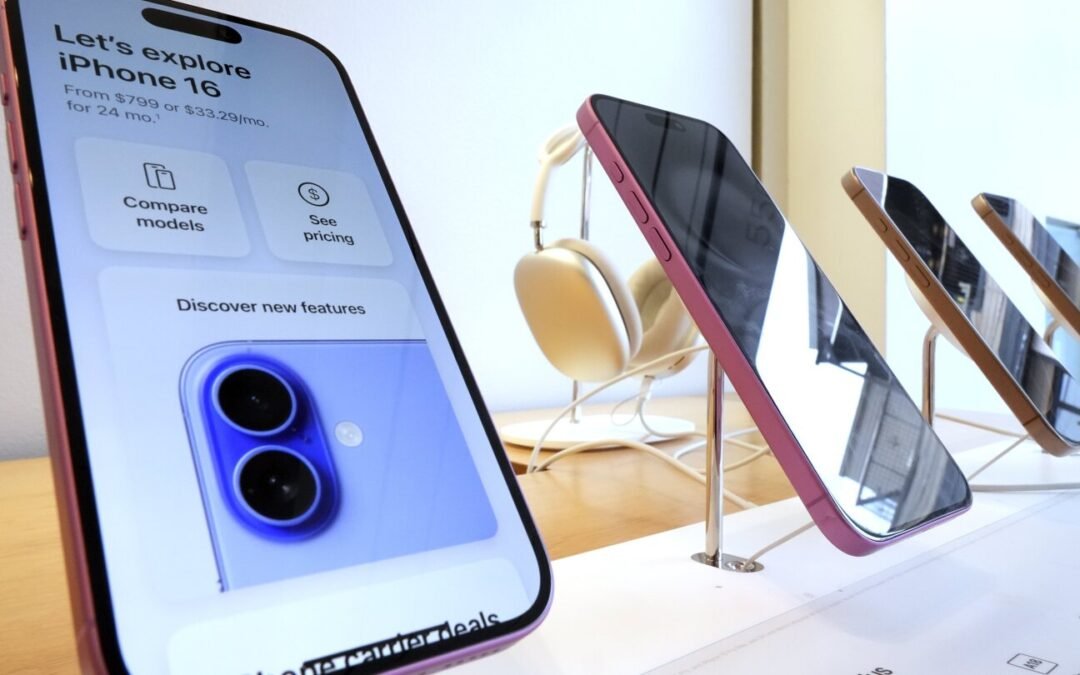
It’s been a wild ride in the tech world lately. The Apple iPhone Porn App Controversy and EU Download Rules debate has sparked conversations about censorship, compliance, and what Apple should or shouldn’t allow in its App Store. Whether you’re an iPhone user, a fan of open platforms, or just someone who follows big tech news, there’s a lot to unpack here.
Understanding the Apple iPhone Porn App Controversy and EU Download Rules
So, what’s all the fuss about? At the core of it is Apple’s long-standing policy of restricting adult content in its App Store. Apple has always positioned itself as a gatekeeper, only allowing apps that align with its strict guidelines. But with new European regulations forcing Apple to open up its ecosystem, things are shifting.
The European Union’s new rules mandate that Apple must allow users to download apps from third-party sources rather than force them to go through the App Store. And guess what? Some developers are eager to take advantage of this new freedom—especially in the adult content industry.
Why Apple’s Strict App Store Policy Exists
Apple has a reputation for being protective over what gets into its App Store. Why? Several reasons:
- Brand image: Apple wants to remain family-friendly, ensuring its devices are safe for all audiences.
- Security concerns: The company claims strict oversight prevents malware, scams, or harmful apps from affecting users.
- Control over monetization: Apple takes a cut from every app sale, so opening the floodgates to third-party downloads could hurt its revenue.
For years, critics have argued that Apple’s grip is too tight, limiting user choice and developer freedom. But now, with the EU stepping in, Apple can no longer hold the reins as tightly as it once did.
Apple iPhone Porn App Controversy: What Happens Next?
The adult content industry is no stranger to fights over distribution. Many payment platforms, social media sites, and service providers avoid hosting explicit content due to legal and reputation concerns. But with Apple forced to loosen its grip, adult-content creators see an opportunity to reach iPhone users in a way they couldn’t before.
Still, just because third-party downloads are becoming a reality in Europe doesn’t mean Apple is making it easy. Reports suggest the company is implementing extra security and warning systems, reminding users that sideloading apps could expose them to risks like malware or fraud. But let’s be honest—if someone really wants to download a certain type of content, pop-up warnings aren’t going to stop them.
Could This Open the Door to More Explicit Content on iPhones?
Before you assume Apple is about to become the Wild West of mobile content, let’s temper expectations. Even with third-party downloads, iPhones will still run on iOS, and it’s unlikely Apple will fully open the floodgates.
That being said, here’s what might happen next:
- More adult-friendly apps appear: Without Apple’s strict rules governing content, developers in the adult space might feel more emboldened to create and distribute apps.
- Apple implements extra security measures: Expect plenty of warnings, disclaimers, and possibly even settings that restrict third-party downloads unless expressly enabled.
- Other industries take advantage: The adult industry isn’t the only one eyeing these new EU rules. Game developers, streaming platforms, and independent developers looking to avoid Apple’s revenue cut might also start launching alternative app stores.
What This Means for iPhone Users
If you’re an iPhone user in Europe, you’ll soon have more choices about where you get your apps. That’s a win for freedom, but with greater freedom comes responsibility. Here’s what to keep in mind:
The Upsides of Third-Party App Downloads
First, let’s look at the positives:
- More variety: You might find apps that Apple would normally ban or limit.
- Better pricing: Without Apple taking a cut, some developers might offer apps at lower prices.
- Less censorship: Some apps previously denied a spot in the App Store could now find a home elsewhere.
The Risks You Should Watch Out For
Of course, it’s not all sunshine and roses. There are risks:
- Security threats: Without Apple’s vetting process, users might encounter apps with malware or other security vulnerabilities.
- Privacy risks: Some apps could collect data without the same level of oversight Apple imposes.
- Scams: Fake or misleading apps could become more common outside the App Store.
Final Thoughts
There’s no doubt that the Apple iPhone Porn App Controversy and EU Download Rules debate is shaking things up. On one side, you have Apple fighting to maintain its ecosystem. On the other, there’s the EU pushing for more open competition. Somewhere in the middle are developers—some excited, some nervous—about what this means for their apps.
For users, it’s a mixed bag. More freedom is great, but it also means being a little more cautious when downloading apps. Apple’s walled garden may have its flaws, but it does offer a level of security and consistency that many people appreciate.
What do you think? Should Apple embrace this change fully, or is the EU forcing its hand too much? One thing’s for sure—change is coming, and it’ll be interesting to see how Apple (and its users) adapt.
by TechNova | Feb 4, 2025 | Tech Insights
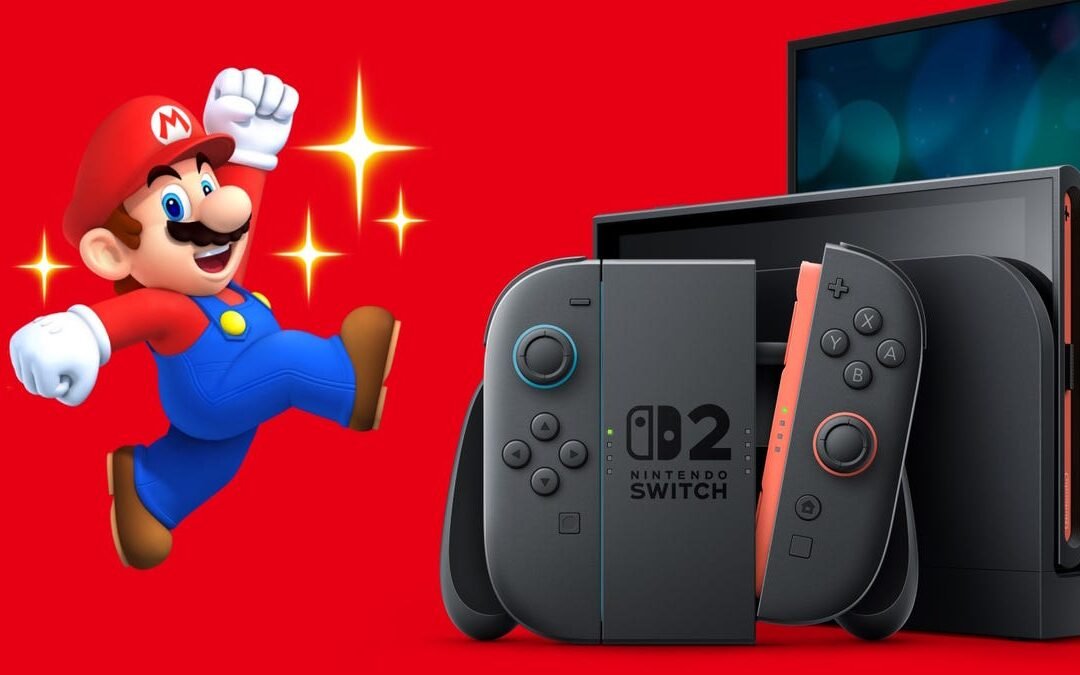
Let’s be honest—trying to buy the latest gaming console when it drops can feel more stressful than a boss fight with no save point in sight. With so much chatter around the next big thing in gaming, “Nintendo Switch 2 Scalper Prevention Strategies Explained” is a topic on every gamer’s mind right now. If you don’t want to fall victim to the dreaded price-gouging tactics of scalpers, I’ve got you covered. Let’s dive into how Nintendo and retailers are stepping up their game and what you can do to snag the Switch 2 without emptying your wallet.
Nintendo Switch 2 Scalper Prevention Strategies: What’s the Plan?
Alright, so first things first—what exactly is Nintendo doing about scalpers this time around? If you’re still scarred from battling it out for a PlayStation 5 or even the original Switch during its launch, you’re not alone. But thankfully, Nintendo seems to be learning from the chaos of past console releases. Based on industry buzz, we might see a more coordinated approach aimed at keeping consoles in the hands of actual gamers instead of landing on eBay at triple the price.
Many retailers are expected to partner with Nintendo to implement measures like online queue systems, one-console-per-customer policies, and even stricter pre-order verification processes. Sounds like a solid plan, right? Well, yes and no. While these strategies are a step in the right direction, they’re far from foolproof. I’ll break down each of these measures further so you know what to expect and how to prepare.
Online Queues: A Blessing or a Digital Traffic Jam?
One of the go-to methods to curb scalpers is the infamous online queue system. You know, the kind where you suddenly feel like contestant #2,187 in a game show you didn’t sign up for? While it’s not perfect, online queues are designed to create a fairer playing field, ensuring everyone gets their turn to grab a console—at least in theory.
Here’s the catch, though: bots. Scalpers have gotten really sneaky, using automated tools to jump ahead of the line and purchase consoles faster than you can say “Joy-Con.” To counteract this, some retailers are introducing CAPTCHA challenges and more sophisticated bot-detection software. It’s not foolproof, but it’s better than the wild west of past console drops.
Hot tip: If online queues are used, make sure your account with your chosen retailer is set up and logged in ahead of time. Save your payment and shipping information to avoid delays when it’s finally your turn. Trust me, those seconds matter.
One Console Per Customer: A Promise or a Pipe Dream?
Another big part of the “Nintendo Switch 2 Scalper Prevention Strategies Explained” initiative is the one-console-per-customer rule. This one sounds pretty straightforward: each household gets to buy just one console, preventing scalpers from scooping up dozens at a time. But enforcing it? That’s where things get tricky.
Retailers are likely to use order tracking systems that flag multiple purchases tied to the same credit card or shipping address. Some might even require IDs or other verification methods to keep things fair. The reality, though, is that crafty scalpers have been known to exploit loopholes. They’ll use different email addresses, payment methods, or even enlist friends to help circumvent these restrictions. Sneaky, huh?
As a buyer, your best move is to stick to trusted retailers and avoid fishy third-party sellers who might over-promise and under-deliver (or worse, never deliver at all). If possible, set up alerts with your favorite stores so you can jump on pre-orders the second they’re available.
Membership-Only Pre-Orders: Yay or Meh?
Here’s a trend we’ve been seeing more of lately: retailers offering priority pre-orders to members of their subscription programs. Think of things like Walmart+, Amazon Prime, or GameStop’s PowerUp Rewards. These programs can give diehard fans a chance to buy a console before the general public.
Now, this sounds like an awesome way to reward loyal customers, but it can also feel like an annoying paywall. Who wants to sign up for yet another membership just to *maybe* get a shot at buying a console? If you’re already a member, though, you’re in luck. Keep an eye on your email for early access notifications.
Pro-tip: If you’re not already a member of one of these programs but you’re debating it, just weigh the perks. Is the fee worth it if it means you could skip the scalper drama? For me, it would be a solid yes—but hey, your mileage may vary.
Tips to Stay Ahead of Scalpers
Outside of Nintendo and retailer efforts, there are things you as a buyer can do to improve your chances. Let’s get proactive, shall we? Here are a few tips:
- Follow official announcements: Stay glued to Nintendo’s official channels for reliable updates on pre-order dates and processes. Avoid rumors and unverified sources.
- Sign up for alerts: Most retailers offer email or text notifications for when products are back in stock. This can help you act fast when pre-orders go live.
- Get social: Join gaming communities on platforms like Discord or Reddit. Other gamers often share tips, warnings, and news about stock drops.
- Set multiple reminders: Pre-order windows can open at odd hours. Use your phone, smart speaker, or whatever you’ve got to make sure you don’t forget.
- Stick to legit sellers: I know it’s tempting to hit up eBay or Facebook Marketplace when things sell out, but buying from scalpers only feeds the problem. Patience is key!
Will Scalpers Ever Disappear?
Honestly? Probably not entirely. Look, scalpers are like those pesky side quests that never quite go away. No matter how many systems Nintendo and retailers put in place, there will always be people trying to game the system. That said, every small step, from online bots getting blocked to stricter purchase limits, helps make the world of console buying just a little less chaotic.
At the end of the day, I feel like preventing scalping is a team effort. Nintendo is stepping up, retailers are tightening the rules, and we as gamers can do our part by being smart, prepared, and patient. Getting your hands on the Nintendo Switch 2 shouldn’t feel like dodging red shells in Mario Kart, but hey, if things get tough, just remember—it’ll be worth it when you’re holding that shiny new console in your hands.
Happy gaming, friends! And may your pre-order journey be smooth and scalper-free.

by TechNova | Feb 4, 2025 | Tech Insights
When the Optoma 4K Laser Projector with Dolby Vision and HDR10+ was announced, I felt that little spark of excitement any home theater enthusiast would. Why? Because this isn’t just another projector—this is a serious upgrade for anyone who wants cinematic quality at home without sacrificing brightness, contrast, or color accuracy. If you’ve been dreaming of a home theater system that can handle both Dolby Vision and HDR10+ to perfection, this might be the projector you’ve been waiting for.
Why the Optoma 4K Laser Projector with Dolby Vision and HDR10+ Stands Out
Projectors have come a long way in the past few years, but not all 4K projectors are equal. Some claim to deliver incredible colors but fall short in brightness. Others might be bright but lack the deep contrast needed for a truly immersive experience. The Optoma 4K Laser Projector with Dolby Vision and HDR10+ promises to balance both worlds by combining cutting-edge brightness technology with industry-leading HDR support.
Here’s why this projector has the potential to outshine its competition:
- Laser Light Source: Unlike traditional lamp-based projectors, the laser light engine offers better brightness and longevity.
- 4K UHD Resolution: With true 4K visuals, you’ll see every detail pop, whether you’re watching movies, sports, or gaming.
- Dolby Vision & HDR10+ Support: Dynamic metadata ensures each frame is optimized for peak brightness and contrast.
A Game-Changer for Home Theater Enthusiasts
If you’ve used a mid-range projector before, you know the struggle. Dark scenes become murky, colors feel washed out, and daylight viewing is practically impossible. This is where the Optoma projector really shines—literally. That laser light source? It provides a higher brightness level than traditional projectors, meaning you won’t need a completely dark room to enjoy vibrant images.
Dolby Vision and HDR10+ – What’s the Big Deal?
Most HDR projectors support either Dolby Vision or HDR10, but very few support both. Why does this matter? These two HDR formats adjust brightness and contrast levels on a per-scene (or even per-frame) basis, making sure you’re always getting the most out of your content.
Dolby Vision is known for rich blacks and extreme bright highlights, while HDR10+ does something similar but allows for more scene-by-scene optimizations. Having both means you don’t have to choose—whichever format your content uses, the projector will know exactly how to handle it.
Picture Quality: Real-World Performance
Now, let’s talk real-world performance. It doesn’t matter how impressive the specs look on paper if the image quality doesn’t hold up in practice. This is where Optoma’s laser projection technology truly shines.
- True-to-Life Colors: Thanks to the wider color gamut, colors appear more accurate and vibrant.
- Deep Blacks: Contrast ratios are stellar, so dark scenes retain their details rather than turning into a muddy mess.
- Smooth Motion: Whether you’re watching a fast-paced action movie or playing a game, motion blur is kept to a minimum.
Who Is This Projector For?
The real question is: should you consider this projector? If you’re someone who loves movies, games, or sports and wants an immersive experience, then absolutely. Here are a few groups who will get the most out of it:
- Home Theater Buffs: If you love watching films in the highest quality available, this projector ensures you’re seeing movies the way filmmakers intended.
- Gamers: With fast response times and vibrant colors, console and PC gamers will find the experience far more engaging.
- Sports Fans: Brightness and clarity are key for live sports, and this projector doesn’t disappoint.
Final Thoughts
The Optoma 4K Laser Projector with Dolby Vision and HDR10+ looks like a serious contender in the home theater space. With true 4K resolution, high brightness levels, and support for both HDR formats, it’s built to deliver an experience that rivals some of the best TVs out there. Whether you’re upgrading your current setup or building a new entertainment space from scratch, this projector is one to keep on your radar.
What do you think? Would you swap out your old projector for this one? If high-end home entertainment is your thing, this might just be the new centerpiece of your setup.
by TechNova | Feb 4, 2025 | Tech Insights
So, you’ve updated to iOS 18, expecting some exciting new Siri features—but instead, you’re left scratching your head, wondering, “iOS 18 Siri Update Missing? Why Your iPhone Lacks Features.” Trust me, you’re not alone. It’s frustrating when you’re eager to try out a cool upgrade, only to find that things aren’t working as advertised. Let’s dig in and figure out what’s going on, so you’re not left feeling like your iPhone got the short end of the stick.
Why Does It Feel Like Siri Is Stuck in the Past?
If your iOS 18 feels more like iOS 16.5 in terms of Siri’s abilities, there are a few potential reasons why those promised enhancements seem to be missing in action. The good news? Most issues are likely tied to compatibility or settings rather than a total system failure. So, take a deep breath—we’ve got some answers here.
First off, let’s talk hardware. Not every iPhone can handle the demands of the latest Siri features. I know, it’s not what you want to hear, but Apple’s upgrades are sometimes built with their newest devices in mind. For example, some iOS machine-learning capabilities need newer processors to truly shine. If you’re rocking an iPhone X or even an XR, you might find yourself missing out on the flashiest updates simply because your device can’t support them.
And then there’s the sneaky culprit: settings. If Siri didn’t update the way you thought it would, a lot could hinge on how your iPhone is set up. Has it been ages since you refreshed your Siri preferences? Are you running out-of-date region settings that limit which features are available in your country? Sometimes, all it takes is a quick dive into your phone’s settings menu to unlock what’s been hiding in plain sight.
iOS 18 Siri Update Missing? Why Certain Features Are Locked to Specific Models
Here’s the cold, hard truth: Apple doesn’t roll out every single update to every single device. It stinks—it really does—but it makes sense in their quest to prioritize functionality over chaos. If you’re sporting an iPhone 11 or older, you might notice Siri’s upgrades arriving in a watered-down version. Those sweet, futuristic tools like on-device processing or advanced conversational capabilities? Yep, often reserved for the newer models.
I remember when my trusty iPhone 8 couldn’t keep up with iOS 15’s live text feature. It was a bummer at the time, but it taught me an Apple lesson: new software gets better the closer your phone is to the newest tech Apple’s rolled out. So, part of your Siri frustration could come down to something as simple as hardware aging gracefully… or not so gracefully.
Can You Fix Your Siri Woes Without Getting a New iPhone?
Look, no one wants to drop serious cash on a brand-new iPhone just because their Siri feels a little outdated, right? Fortunately, there are some steps you can take to troubleshoot before committing to anything drastic. Here’s where I’d recommend starting if you suspect something’s off:
- Double-check your software update: Did the iOS 18 update fully install? Sometimes updates get interrupted or corrupted along the way, leaving you with only part of what’s supposed to be there. Go to Settings > General > Software Update and ensure you’re up to date.
- Review Siri settings: Go into Settings > Siri and Search and take a closer look. Are all the latest settings enabled? Features like “Listen for ‘Hey Siri’” or language-specific enhancements might need to be turned on manually.
- Reset Siri entirely: If you suspect your virtual assistant is being stubborn, disable Siri, restart your phone, and then re-enable it. Sometimes, it’s the little things that make a big difference.
- Region matters: Don’t overlook this one! iOS features often roll out by region, and Siri is no exception. Make sure your phone is set to a supported region for iOS 18’s most advanced features.
If you’ve tried everything and Siri still feels behind the times, it might be time to level-set expectations with your current iPhone model or—dare I say—start thinking about an upgrade in the future.
iOS 18 Siri Update Missing? Why Patience Might Be the Answer
Now, if you’re positive your iPhone is compatible with all the iOS 18 features but they’re still not showing up, don’t toss your phone in frustration just yet. Apple is notorious for staggered feature rollouts. Updates promised in the iOS 18 announcement might not go live for all users immediately. Sometimes, you’ve just got to wait for the next incremental update—iOS 18.1, 18.2, or beyond—for certain Siri abilities to fully arrive.
I’ve been there, refreshing my Settings page like a superfan trying to snag concert tickets. It’s frustrating, but patience often pays off when it comes to Apple updates. If you’re willing to wait, those missing features might show up in the next few weeks or months.
Should You Upgrade Your iPhone for Siri?
Let’s be real—this is ultimately the question many iPhone users face when software updates seem disappointing. Is it worth upgrading to a newer model just for better Siri? Well, that depends.
If you rely heavily on Siri for hands-free tasks—like controlling smart home gadgets, crafting detailed reminders, or dictating texts—the updates in iOS 18 (when fully functional) might make a big difference in your daily workflow. On the other hand, if Siri’s just your go-to for occasional timers or quick weather checks, you might not feel the need to rush into upgrading just yet. Weigh how much you truly use Siri against the cost of getting a newer model.
From my personal experience, I find that squeezing one more year out of my iPhone before upgrading can sometimes feel just as satisfying as finally unboxing a shiny new device.
Final Thoughts
So, where does this leave you if you’re wondering, “iOS 18 Siri Update Missing? Why your iPhone lacks features”? The answer isn’t always straightforward, but it often comes down to hardware compatibility, settings tweaks, or Apple’s staggered rollout strategy. Don’t let a temporary tech hiccup get you down, though. Whether you’re rebooting Siri, refreshing your settings, or simply riding out the update wave, there’s hope for getting the most out of your iPhone—no matter what Siri challenges you’re facing.
At the end of the day, technology is always about balance. If your iPhone’s working well for you overall, don’t let a few absent Siri tricks ruin the experience. And if it’s time to upgrade, you’ll know—your iPhone will tell you, loud and clear, when it’s ready for retirement. Until then, give Siri a nudge, do some troubleshooting, and keep navigating that iOS 18 world one step at a time. You’ve got this.
by TechNova | Feb 4, 2025 | Tech Insights
Have you ever stared at a legal contract, utterly lost in the sea of jargon? It happens to the best of us. That’s why I got ridiculously excited when I heard, “Acrobat AI Assistant Reviews Contracts with Ease.” Yes, Adobe just made the fine-print nightmare way less scary. Their newest AI-driven feature for Acrobat is here to make quick, reliable sense of contracts, and I’ll be honest—it feels like a total game-changer. Whether you’re signing a rental agreement, managing business deals, or simply wondering what on earth you’re agreeing to, this little assistant might just be your new best friend.
How Acrobat AI Assistant Reviews Contracts with Ease
Let’s cut to the chase—what makes this feature so special? The idea is simple: Adobe wants to eliminate the headache of understanding complex documents. With Acrobat AI Assistant, you can upload a contract or any document, and it’ll break things down for you in seconds. No more Googling terms or feeling low-key intimidated by legal language.
The AI assistant analyzes key details, like dates, clauses, missing information, and even potential risks. For example, if a liability clause is super one-sided, it’ll flag that, so you know what’s up before you sign. How cool is that? It’s kind of like having a friendly legal assistant sitting beside you, whispering, “Hey, you might want to double-check this part.” Honestly, I wish this existed years ago when I blindly signed my first lease—rookie mistake, I know!
Who Benefits the Most When Acrobat AI Assistant Reviews Contracts with Ease
This tool seems tailor-made for specific groups of people:
- Small business owners: If you’re a freelancer or running your own shop, you’re likely juggling multiple legal agreements. This feature can highlight payment terms or exclusivity clauses, so you know exactly what you’re committing to.
- Everyday renters or buyers: Signing a lease or buying a home? Acrobat’s AI can simplify the fine print so you don’t miss anything important, like hidden fees or rules. Trust me—this could save you from future headaches!
- Legal teams: Even lawyers, bless them, get stuck in tedious details. Using AI for initial reviews can help them focus on what truly matters.
But honestly, I think anyone who deals with contracts—so, basically all of us—could benefit. I know I’m already planning to use it for my next big purchase. Is it weird to feel genuinely excited about contract reviews? Maybe. But here we are.
The Simplicity of Using Acrobat AI Assistant
Okay, let’s talk about how easy this is to use. You don’t need any fancy setup or to be super tech-savvy. Just open Adobe Acrobat, upload your contract, and let the AI do its magic. Within moments, you’ll see key points summarized, flagged issues, and even recommendations for sections you might want to revisit. It’s almost too simple.
One of my favorite features? The “plain language” explanations. You know how some contracts feel like they’re written in another language? This AI doesn’t just analyze the document; it translates the legal mumbo jumbo into terms you can actually understand. It’s like having that one super-smart lawyer friend who explains things in a way that makes you feel smarter. Who wouldn’t want that?
Can You Trust an AI to Handle Important Documents?
Now, I know what you’re thinking. “Can I actually trust an AI assistant with something as important as a contract?” It’s a fair question! The truth is, no AI tool is perfect. Acrobat’s AI is meant to help you better understand documents—not replace professional advice. So yeah, for big, life-changing contracts, it’s probably smart to have a human take a final look.
That said, for everyday contracts, this tool really does shine. It’s thorough, fast, and intuitive. If anything, it gives you a much better starting point. Instead of blindly signing something, you’ll at least know what you’re walking into. That kind of peace of mind is priceless in my book.
My Experience with Adobe’s AI Assistant
Alright, personal confession time: I recently tested Acrobat’s AI assistant on an old freelance contract. Guys, it caught things I’d totally missed—like a clause saying payment could be delayed up to 90 days. Ninety days?! No thanks! Seeing that flagged made me even more grateful for how this tool works. It also flagged where the client hadn’t filled out all fields, like signatures and invoice details. Imagine if I’d relied on that contract without realizing it was incomplete? Yikes.
It was also pretty satisfying to watch the AI churn through the document so quickly. I’m the kind of person who skim-reads contracts because, let’s be honest, they’re usually boring. But the AI actually made it feel…dare I say…efficient and sort of fun? It’s like having a little digital coach guide you through it all.
Final Thoughts: Acrobat AI Assistant Reviews Contracts with Ease
If I had to sum it all up, I’d say Adobe’s new AI assistant is one of those tools you didn’t know you needed until you tried it. Whether you’re signing your first lease, running a business, or navigating personal finances, it has the potential to save you time, stress, and maybe even money. Sure, it’s not a replacement for a professional lawyer, but it’s a solid first defense against overwhelm.
For me, it feels like a win—getting smarter about contracts without feeling like I need a law degree. Plus, the peace of mind? Totally worth it. So, if you’ve ever wished someone could just *explain* a contract without all the fluff, give this tool a try. Who knows—it might even make you feel a little like a legal whiz. Or at the very least, it’ll save you from signing off on something sketchy. Either way, I’m here for it!
